


Your Cart

Halo is backed by a 90-day satisfaction guarantee
Promo Code
Save an extra $50 when you buy two collars
Subtotal$0
Tax & Shipping Calculated at checkout
Total $0
Get to know the smartest dog collar on the planet with our easy get started tutorials.
 Watch the video

Create GPS fences in the Halo Collar app

Halo helps you train your dog to obey fence boundaries

Custom correction methods: sound, vibration and static

Track your dog’s location and activity anywhere in the world

Video tutorials guide you through getting your collar up and running.
Train your dog using a Cesar Millan designed program based on positive association, not negative corrections.
Choose sound, vibration, or static feedback based on what works best for you and your dog.
Create a fence with one tap based on property lines and Halo fence guidelines. Edit your fences any time.
Create, edit, pause, and enable boundaries for all of your fences and beacons.
Fences are stored in your Halo Collar and will work everywhere you go — even in locations without Wi-Fi or cellular connection.

See your dog’s location in real-time.
Activity charts show how much time your dog spends active vs. resting, and how and where they have received fence feedback.
These small devices can create keep-away areas or deliver instant feedback to the collar without your phone.
Customizable boundaries, AlwaysOn™ location tracking, instant alerts, and more at your fingertips

Create and manage GPS fences from the Halo app and protect your dog at home or on-the-go.

Choose between sound, vibration and static feedback to keep your dog safely in their fence.

Live GPS tracking updates 4x per second in the app, more than any other tracker or GPS fence.

Halo protects your dog automatically — even without your phone nearby — and notifies you when they approach their boundary.

Logs walks and tracks daily activity so you're always connected to your dog's health

Instant, face-to-face support from our in-house team of Halo experts.
The IP67 waterproof Halo Collar 5 combines advanced GPS, ultra-precise fence boundaries, and activity tracking to give your dog the ultimate freedom while ensuring their safety—anytime, anywhere.
ExploreLTE, Wi-Fi & Bluetooth

Up to 48-hour battery life
Magnetic charging port
Dual-Frequency GPS
IP67 waterproof rating


This is where Halo truly differentiates from other collars. Our patented, dog psychology-based method is intuitive and effective, which makes Halo far safer than other collars.
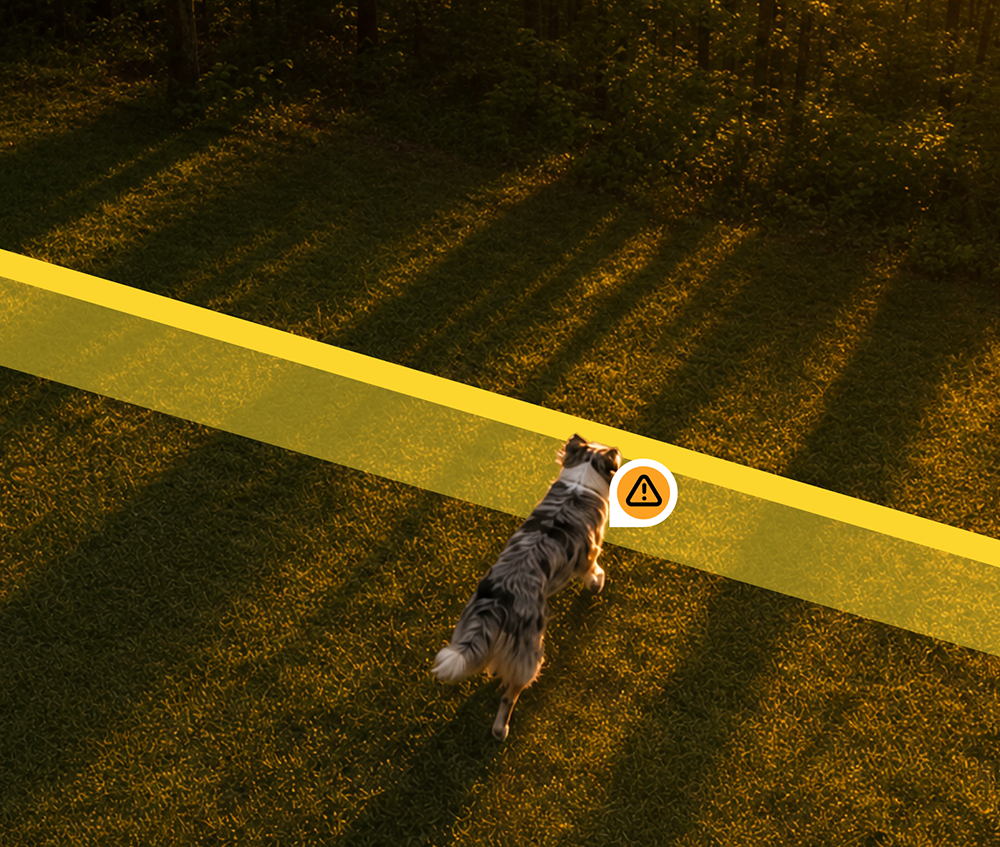
When approaching a boundary, your dog automatically receives customized feedback that your dog will associate with a simple Keep Away command.
If your dog does not stop or turn around, escalating feedback is given until your dog responds. Once they stop or turn around, a Come Back command guides them back to safety.
Create a Halo Fence in the Halo app from the My Fences icon. Tap Add Fence and search an address or move the map to your property. Tap Create Fence, and Halo automatically draws a fence based on property lines and Halo Fence guidelines. You can drag, add, or remove fence posts to adjust it before saving. The GPS coordinates of the Halo Fence are automatically downloaded to the collar and remain there permanently (unless you edit or delete them). Halo Fences can’t be cut, damaged, jumped over, dug under, and don’t require any maintenance.
iOS: Version 2.15 (1045) or earlier. Android: Version 2.15 (603) or earlier.
Create a Halo Fence in your app going to My Map → Find and Manage Fences → Add Fence. From there, enter your address and press Create Fences. The GPS coordinates of the Halo Fence are automatically downloaded to the collar and remain there permanently (unless you edit or delete them). Halo Fences can’t be cut, damaged, jumped over, dug under, and don’t require any maintenance.
The Halo Collar is capable of providing six types of feedback:
Each type of feedback has predefined default settings, but you can customize your dog's settings at any time. Your dog's feedback types can be set to use sounds, vibrations, or static. With the variety of sounds, vibration patterns, and static levels to choose from—including Cesar's various voice commands and his famous "TSCH" sound—you have complete control over customizing your dog's experience. With Cesar's guidance, you'll learn to set the best feedback for your dog's energy levels.
Halo uses Static feedback that creates a sense of "touch" meant to mimic a tap on the shoulder (as opposed to shock collars which use an electronic pulse that is painful to your dog). This timely touch breaks your dog's fixation in dangerous situations and distraction-filled environments to keep them out of harm's way. You're never required to use static with your dog's Halo Collar—the Halo training process will help you customize the feedback that your dog will respond to. With a range of static levels available, you can provide the right tap-on-the-shoulder effect that is most appropriate to keep your dog comfortable and safe.
Unlike all other GPS fence collars, Halo Fences are ‘Escape Proof’. Halo’s patented, intuitive and gentle feedback keeps escalating until your dog responds – it does not give up. Unlike any other GPS collars on the market, your dog’s Halo Collar uses its advanced technology to determine which direction your dog is facing and if they are moving toward or away from safety. Once your dog responds to the Keep Away command that you have trained it for, a Come Back command brings it back home. For your peace of mind, you are immediately notified once a fence breach is detected. Plus, live in-app tracking never stops providing protection.
The Halo Collar will last for up to 48 hours on a single charge, depending on factors such as having the most up-to-date firmware and how much time you are spending in the app. You should remove the Halo from your dog each night, and charge it overnight so you can start the next day with a full charge.

Halo is backed by a 90-day satisfaction guarantee
Subtotal$0
Tax & Shipping Calculated at checkout
Total $0