Introducing Precision+  The new standard in safety

90-day satisfaction guarantee

Command Center

Halo App

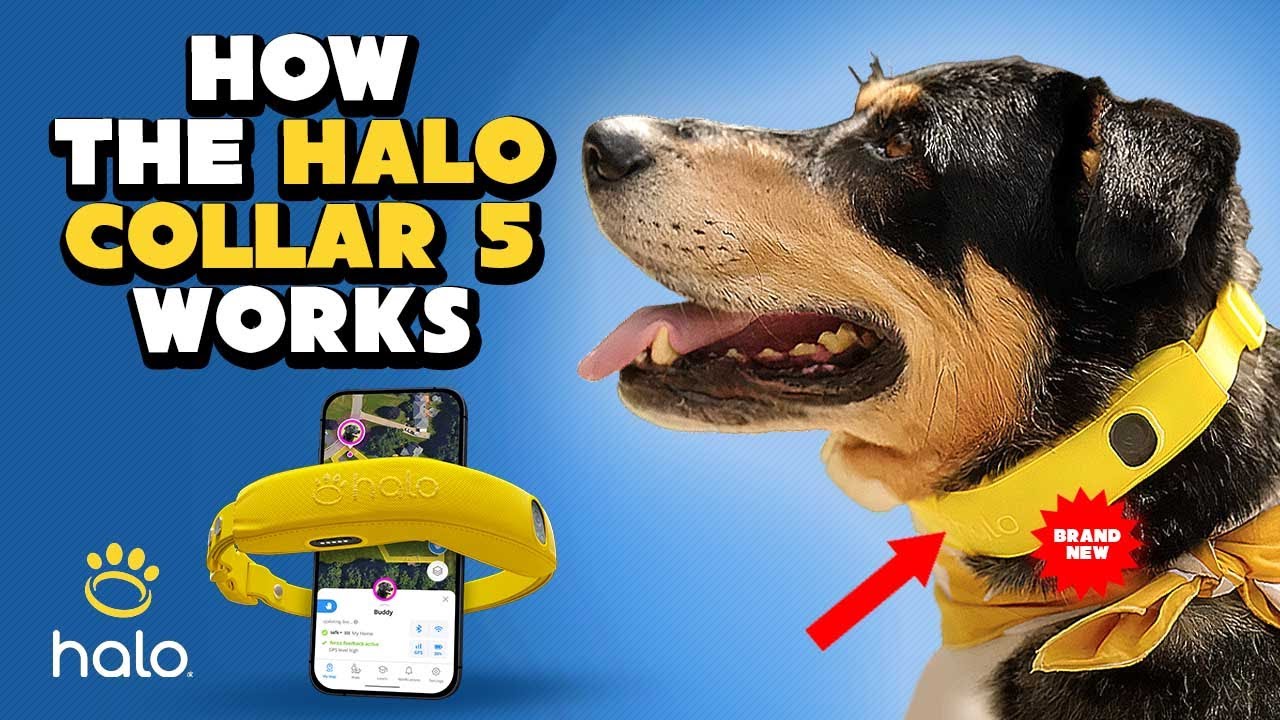
The Halo App is the command center for everything your Halo Collar does. Create and manage GPS fences, track your dog’s real-time location, customize every feedback setting, monitor daily activity, access Cesar Millan’s training program, and get live support from Halo experts — all from your phone. Your dog’s collar works autonomously to enforce boundaries and deliver feedback even when your phone is not nearby. The app is where you set up, monitor, and fine-tune the entire system.

Available on Halo Collar 5 · iOS & Android · Real-Time GPS · Multi-Dog Support · Live Expert Support

1512 reviews
Multiple screens of the Halo App showing the Pet Card, My Map, and Fence Management
iOS & Android
Real-Time GPS Map
Multi-Dog Support
Customizable Feedback
Cesar Millan Training
Live Expert Support

Feature overview

The Halo Collar app is the interface between you and your dog’s Halo Collar. Every feature of the Halo system, from GPS fence creation to feedback customization to dog activity tracking, is managed through the app. It is available for iOS (App Store) and Android (Google Play) and requires an active Pack Membership Plan to operate.

The app is designed around a central element called the Pet Card, which displays your dog’s real-time safety status, GPS signal level, collar connection type, fence and beacon proximity, and battery level at a glance. From the Pet Card, you can access activity tracking charts, feedback settings, fence management, and the Cesar Millan training program. For households with multiple dogs, all collars are managed from a single account — with fences that can be individually enabled or disabled per dog.

Explore all Halo Collar features including virtual GPS fencing, GPS tracking, and the feedback system.

Your Dog’s Command Center

Six Core Capabilities in One App

The Halo App consolidates fence management, GPS tracking, feedback configuration, activity monitoring, training, and live support into a single interface. Here is what each capability does and how it works.

App Walkthrough

What You See When You Open the Halo App

The following walkthrough describes the key screens and how they connect to your dog’s safety. Each screen is designed so the most critical information is visible immediately, with deeper settings accessible by swiping or tapping.

1

My Map

The default screen when you open the app. It displays a satellite map centered on your dog’s last known location, with fence boundaries overlaid in green. Each dog appears as a pin on the map. Tap a dog’s pin to open their Pet Card. You can also refresh your dog’s location on demand by tapping the Refresh button. If multiple dogs are on your account, all appear simultaneously on the map with individual pins.

2

Pet Card

The Pet Card is the central hub for each dog. It displays the dog’s current safety status, the GPS signal level, the connection type in use (Bluetooth, Wi-Fi, or Cellular), which fence or beacon the dog is near, and the collar’s battery level. The “Updating Live” indicator confirms that the app is receiving real-time data. Swipe up on the Pet Card to access Feedback Settings, Fence Controls, and the Activity Tracking section.

3

Fence Management

From the Fences section, you can create new GPS fences, edit existing ones, pause or enable boundaries, and manage Halo Beacons. One-tap fence creation generates boundaries based on property lines. Manual creation lets you place fence posts as polygon vertices. Each fence shows its name, status (active, paused), and which dogs have that fence enabled. Fences sync automatically to all connected collars.

4

Feedback Settings

Accessible by swiping up on the Pet Card and tapping Feedback Settings. Here you configure each of the six feedback types independently. For each type (Warning, Boundary, Emergency, Whistle, Good Dog, Go Home), select the modality (sound, vibration, or static) and set the intensity level. Cesar Millan’s voice commands and TSCH sound are available as built-in options. Changes are synced to the collar immediately when connected.

5

Activity & Health Tracking

The tracking section, which is accessible from the Pet Card via “View More”, doubles as a dog activity tracker, displaying historical charts and graphs for: Preventions (how many Warning, Boundary, and Emergency events occurred), distance walked (GPS-calculated total distance), walk count (increments when you leave the fence and travel more than 500 feet), and activity breakdown (time spent active, resting, or in the car). Data is viewable by day or narrowed down to each hour. Silver and Gold plans include enhanced activity tracking with weekly and monthly reports. All members also have access to the Walk feature, which tracks steps, distance, speed, and a “Freedom” metric that measures how much your dog explored beyond your path.

6

Training

Tap the “Learn” icon at the bottom of the app screen to access Cesar Millan’s in app training program. Each lesson includes reading materials and instructional videos. The program is structured in four phases: Setup, Introducing the Collar, Indoor Training (using Beacons), and Outdoor Training (using GPS Fences). The training section is accessible at any time and can be revisited as needed. It can only be accessed through the Halo App — not through a web browser.

7

Notifications

The Notifications tab (bottom of the app screen) collects all alerts from your collar: fence breach alerts, prevention feedback events, battery low warnings, firmware update notifications, and GPS initialization reminders. Unread notifications are indicated by a blue dot. Each notification includes a timestamp so you can review exactly when an event occurred — which may differ from when your phone received the push notification, depending on cellular connection. You can mark all as read or clear all from the three-dot menu.

8

Support (Halo Dog Park)

Navigate to Settings → Support to access the Halo Dog Park, where you can connect with a live Halo expert via video-based support. The in-app Help Center is also accessible from this section, providing searchable articles covering every aspect of the collar and app. Support is available 7 days a week.

Collage of key Halo App functions: My Map, Pet Card, Feedback Settings, and Activity
Pack Membership Plans

Pack Membership Plans — What Each Tier Includes

Feature Bronze Silver Gold
Monthly price (1st collar) $9.99/mo $14.99/mo $19.99/mo
Additional collar price $9.99/mo $9.99/mo $9.99/mo
Virtual fences 5 20 Unlimited
Unlimited cellular data
GPS tracking, real-time alerts
Cesar Millan training, Live support
Basic Activity Tracking
Enhanced Activity Tracking (weekly/monthly reports)
Walk Feature (steps, distance, speed, Freedom metric)
Live Training Sessions (expert Q&As)
Accessories Discount 25% 50%
Annual Billing Discount 1 month free 1 month free 1 month free
2-Year Billing Discount 3 months free 3 months free 3 months free
Who Uses the Halo App?

Halo App Use Cases

The app adapts to different living situations, dog counts, and ownership styles.

At-a-Glance Safety Monitoring

The Pet Card’s safety status lets you check whether your dog is safe without opening a map or reading a log. A single look at your phone confirms: Safe (inside fence), Warning (approaching boundary), or Unsafe (outside fence). Push notifications arrive in real time for fence approaches so you are alerted even when the app is in the background.

Multi-Dog Households

If you have two, three, or more dogs, the app manages all of them from one screen. Each dog has their own Pet Card with independent feedback settings and fence controls. You can enable a larger yard boundary for a well-trained dog while keeping a newer dog on a smaller fence — using the same Halo account. The multi-dog collar discount makes scaling affordable.

Travelers and On-the-Go Owners

Create a new GPS fence at a campsite, vacation rental, or friend’s house in seconds. The app’s one-tap fence creation works anywhere you have a satellite view. Fences download to the collar instantly and remain stored even in areas without Wi-Fi or cellular signal. When you return home, your original fences are still saved and ready to re-enable.

Daily Activity Monitoring

The Activity and Tracking charts in the app help you understand your dog’s day: how much time they spent active, resting, or in the car; how far they walked; and how many prevention feedback events occurred. This data helps you distinguish between a dog that is acting out from excess energy versus one that needs rest — a distinction that is difficult to make without objective tracking.

First-Time Halo Owners

The app guides new owners through the entire setup and training process. Cesar Millan’s training program is accessible from the Learn icon. The Halo Dog Park live support is available 7 days a week for questions about collar fit, feedback calibration, fence creation, or training technique. You do not need technical experience to use the app.

Remote Monitoring When You’re Away

If you are at work, traveling, or simply inside while your dog is in the yard, the app provides continuous peace of mind. The collar enforces boundaries autonomously, and the app delivers push notifications for any fence event. Live tracking lets you watch your dog’s position in real time from anywhere with an internet connection.

Get Started with the Halo App in 3 Steps

See It In Action

Watch the Halo App in Action

This walkthrough demonstrates one-tap fence creation, the Pet Card safety status, real-time GPS tracking on the My Map screen, feedback configuration, the activity charts, and how to access the Cesar Millan training program and live Halo Dog Park support.

Dog Owner Testimonials

What Owners Say About the Halo App

Halo App FAQ

What devices is the Halo App available on?

The Halo App is available for iOS (App Store) and Android (Google Play). The developer is Protect Animals With Satellites, LLC. The app works with Halo Collar 5 and is also compatible with all the previous models of Halo Collar. An active Pack Membership Plan is required to operate.

Do I need the app for the collar to protect my dog?

No. Once fences and feedback settings are configured through the app, the collar works autonomously. It enforces boundaries and delivers prevention and encouragement feedback using onboard GPS and stored fence data — even without Wi-Fi, cellular, or your phone nearby. The app is needed for setup, configuration changes, live tracking, notifications, and manual feedback.

How often does the app update my dog’s location?

The Halo App receives up to 4 GPS updates per second from the collar. The delivery speed depends on the connection type: Bluetooth provides continuous live updates directly from the collar. The collar itself analyzes 20 GPS position fixes per second internally, regardless of the connection to your phone.

Can I manage multiple dogs from one app?

Yes. Each dog needs their own Halo Collar, but all dogs are managed through one account. Each collar has its own Pet Card with independent feedback settings. Fences can be turned on or off per dog without affecting other dogs.

What are the Pack Membership Plan tiers?

There are three tiers: Bronze, Silver, and Gold. All tiers include unlimited cellular data, GPS tracking, real-time alerts, basic activity tracking, Cesar Millan training content, and live support. Silver adds enhanced activity reports (weekly and monthly). Gold adds the live training sessions with expert Q&As. Plans start at $9.99/month. Annual billing gives 1 month free; 2-year billing gives 3 months free.

What notifications does the app send?

The app sends push notifications and in-app alerts for fence approach events, prevention feedback (Warning, Boundary, Emergency), low battery warnings, firmware update availability, and GPS initialization reminders. Each notification includes a timestamp showing when the event occurred on the collar, which may differ slightly from when your phone received it depending on cellular connection.

What is the Pet Card?

The Pet Card is the central information hub for each dog in the Halo App. It displays safety status (Safe, Warning, or Unsafe), GPS signal level (Low, Medium, High), connection type (Bluetooth, Wi-Fi, Cellular), fence and beacon proximity, battery level, and a “Updating Live” indicator. Swipe up on the Pet Card to access Feedback Settings, Fence Controls, and Activity Tracking charts.

What is the Halo Dog Park?

The Halo Dog Park is the in-app live support feature. Navigate to Settings → Support → Halo Dog Park to connect with a Halo expert via live video-based support. It is available 7 days a week. You can also access it at dogpark.halocollar.com. The app also includes a searchable Help Center with articles covering every collar and app feature.

What activity data does the app track?

The app tracks Preventions (how many Warning, Boundary, and Emergency feedback events occurred), Distance Walked (GPS-calculated), Walk Count (trips beyond 500 feet from the fence), and Activity breakdown (time active, resting, or in the car). Data is viewable by day or by hour. Silver and Gold plans include enhanced weekly and monthly reports. All members also access the Walk feature with steps, distance, speed, and a “Freedom” metric.

Can I send feedback manually from the app?

Yes. The Instant Feedback screen lets you send any prevention or encouragement cue to the collar with a single tap. This works over Bluetooth or over the internet. For manual feedback without a phone, the Halo Remote Beacon provides one-button recall up to 50 meters.

Is the app free?

The app itself is a free download. However, a Pack Membership Plan (starting at $9.99/month) is required to activate the collar and access all features, including GPS services, cellular data, fence creation, tracking, and support.

How does the Halo App compare to other dog tracking apps?

Most dog GPS apps are designed for location tracking only — they show where your dog is, but cannot prevent them from leaving a boundary. The Halo App is the only dog tracking app that combines real-time GPS location, virtual fence creation and management, automatic six-type feedback enforcement, Cesar Millan’s in-app training program, activity monitoring, and live expert support in a single interface. The collar enforces boundaries autonomously, so your dog is protected even when your phone is not nearby. SpotOn offers a capable companion app with fence creation and tracking, but Halo’s app additionally provides continuous location updates (up to 4x/sec), encouragement feedback cues, Halo Health™ activity tracking, and built-in live video support through the Halo Dog Park.

Everything Your Dog Needs — In One App

The Halo App puts fence management, real-time GPS tracking, customizable feedback, activity monitoring, Cesar Millan training, and live expert support at your fingertips. Your collar works autonomously to protect your dog. The app is where you set up, monitor, and refine the system. Available on iOS and Android. Trusted by over 500,000 dog parents.

90-Day Satisfaction Guarantee 1-Year Warranty SSL Encrypted Checkout Secure Payment Visa · Mastercard · Amex · PayPal · Affirm